

Social media APIs in 2026: what each platform lets you post
Access, approval, cost and posting caps for the X, Facebook, Instagram, Threads, LinkedIn, TikTok, YouTube, Pinterest, Bluesky and Mastodon APIs.
13 minute read By SocialHelper team
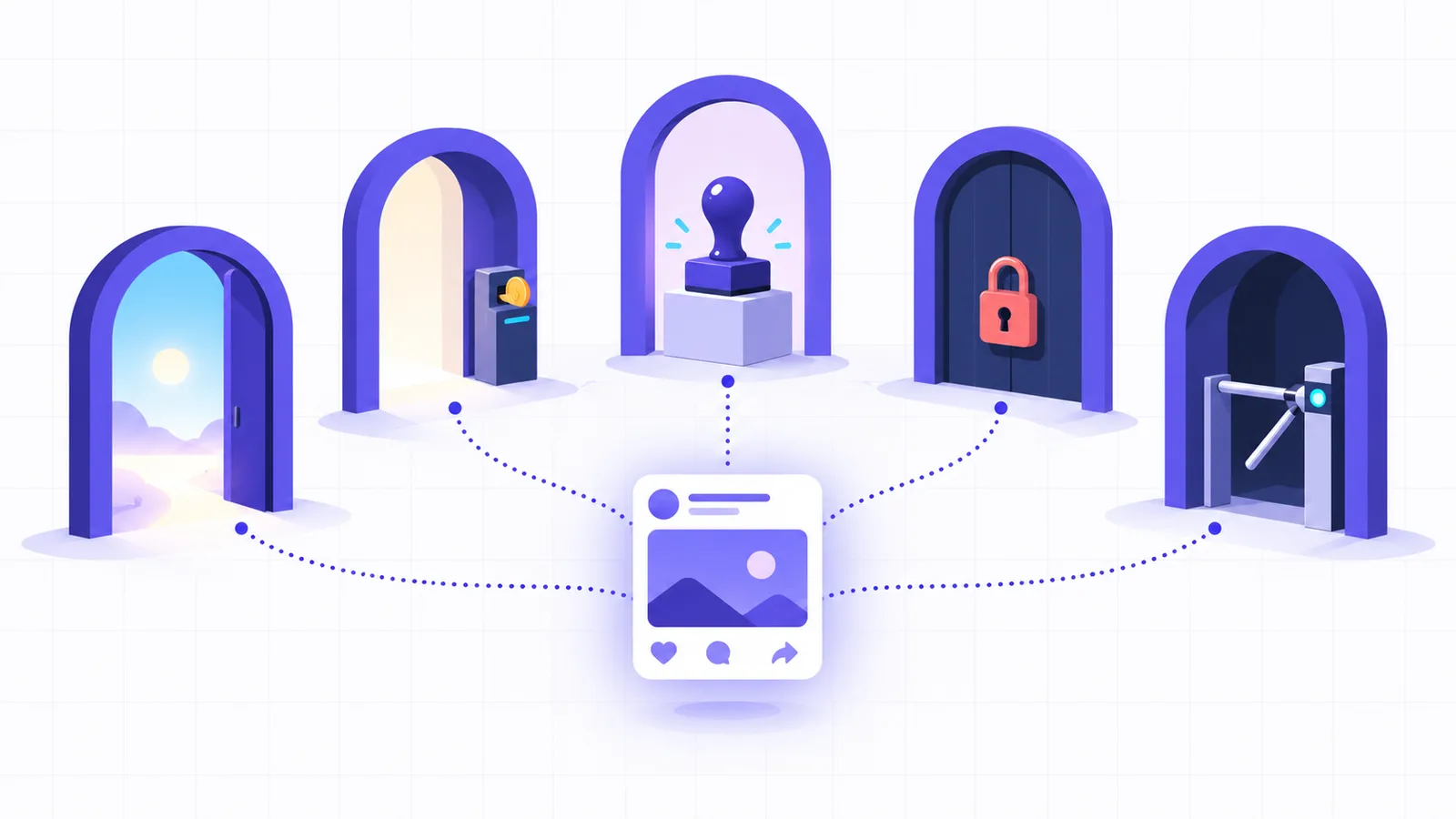
Social media APIs let your code post to a platform without anyone opening the app. X charges for it, $0.015 a post or $0.20 when the post has a link. The other big platforms list no fee, but they review your app before it can post to accounts you don’t own. That means Meta’s App Review, TikTok’s audit, LinkedIn’s vetting for Company Pages or Pinterest’s Standard access. Each platform also has its own tokens and daily caps.
The facts below come from each platform’s developer docs, read on October 17, 2026, and from the code SocialHelper uses to post to each one. They also cover how to tell whether a post went live after a request times out, which decides whether a retry is safe.
What a social media API is
A social media API is the set of web endpoints a platform offers so software can post, read and measure on behalf of an account. Four terms come up on every platform below.
- OAuth is the sign-in flow where the account owner approves your app, and you get an access token instead of their password. The IETF’s OAuth 2.0 standard defines it (RFC 6749).
- An access token is the credential every call carries. It names your app, the account and what the account allowed, and it runs out after a set time.
- App review is the platform’s check of your app before it can act for accounts outside your own team.
- A posting cap is the most posts an account or app may publish through the API in a window, usually 24 hours.
Social media APIs compared
Every row’s source is in that platform’s section further down.
| Platform | What the API posts | To post for other people |
|---|---|---|
| X | Posts, replies and threads | A developer app and prepaid credits |
| Page posts: text, links, photos, video | App Review for each permission | |
| Feed posts, reels, carousels and stories, on professional accounts | App Review and Business Verification | |
| Threads | Text, images, video, carousels of up to 20 | App Review, and a published app |
| Member posts; Company Page posts | None for members; a vetted API product for Pages | |
| TikTok | Videos and photo posts | Approval of the posting scope, then an audit to post publicly |
| YouTube | Videos | A compliance audit to go past the default quota |
| Pins on boards: images, carousels, video | Standard access, with a video of your sign-in flow | |
| Bluesky | Posts with images and links | None |
| Mastodon | Posts with media and polls, on any server | None |
Caps are per account unless the row says otherwise.
| Platform | Cost to post | Posting cap |
|---|---|---|
| X | $0.015 a post, $0.20 with a link | 100 per 15 minutes per user; 10,000 a day per app |
| No fee listed | Call-count limits, shown in the App Dashboard | |
| No fee listed | 100 or 50 a day (Meta’s docs give both) | |
| Threads | No fee listed | 250 posts and 1,000 replies a day |
| No fee listed | Not published; the Pages API starts at 100 calls per member a day | |
| TikTok | No fee listed | About 15 posts a day per creator |
| YouTube | No fee listed | 100 uploads a day per project |
| No fee listed | 300 write calls a day per app on Trial; 100 a minute per user on Standard | |
| Bluesky | Free | 1,666 new records an hour, 11,666 a day |
| Mastodon | Free | 300 calls per 5 minutes by default |
The caps also reset on different clocks. Instagram and Threads count a moving 24 hours, YouTube resets at midnight Pacific Time, and LinkedIn’s limits reset at midnight UTC every day (LinkedIn: Rate limits). A scheduler that spreads posts across time zones has to track each one.
Each platform’s API, in detail
X API
The X API charges for every request. Creating a post costs $0.015, and a post with a URL costs $0.200, with no subscription. You buy credits in the Developer Console and they’re spent as you call (X: Pay-per-usage pricing). Reads cost too: $0.005 for each post you fetch, or $0.001 when you read your own data. New accounts can earn up to $70 in free credits, which expire after 3 months (X: Free credit incentives).
Posting goes through POST /2/tweets, which allows 100 posts per 15 minutes for each user and 10,000 a day for each app (X: Rate limits). A post holds 280 characters, counted with links as 23 and emoji as 2. SocialHelper’s X integration connects with OAuth 2.0 and PKCE, renews its two-hour tokens, and prices each post before sending it, because a link makes a post more than 13 times dearer.
Facebook Pages API
The Facebook API posts to Pages, not to personal profiles. Meta removed publish_actions, the permission for posting to a person’s timeline, and approved apps lost it on August 1, 2018 (Graph API changelog, April 24, 2018). To post as a Page, you call POST /{page_id}/feed with a Page access token. The posting guide lists pages_manage_posts and pages_read_engagement among the permissions. The person connecting must be able to do the CREATE_CONTENT, MANAGE and MODERATE tasks on the Page (Meta: Pages API posts).
Meta’s overview says “all permissions require App Review” before people without a role on your app can grant them (Meta: Pages API overview). Scheduling is built in. Set published to false and give a scheduled_publish_time between 10 minutes and 30 days ahead. SocialHelper’s Facebook integration connects Pages with Facebook Login for Business. A Page token made from a long-lived user token has no expiry date, so it keeps working until the person changes their password or loses their Page role.
Instagram API
The Instagram API publishes to Business and Creator accounts only. You create a container from a public image or video URL, Meta downloads it, and you publish the container once it’s ready. Images must be JPEG. To serve accounts you don’t own or manage, you need Advanced Access, which “requires App Review and Business Verification” (Meta: Instagram Platform overview).
The daily cap is unclear in Meta’s own docs. The publishing guide says “Instagram accounts are limited to 100 API-published posts within a 24-hour moving period,” and later says 50 (Meta: Content publishing). SocialHelper reads the account’s real quota before it creates anything. The full flow, with tokens, limits and error codes, is in our Instagram API guide.
Threads API
The Threads API posts text, images, videos and carousels of up to 20 items. Like Instagram, publishing takes two steps: create a media container, then publish it with threads_publish. Text posts hold 500 characters, and emoji count as their UTF-8 bytes (Meta: Threads posts).
Each profile may publish 250 posts and 1,000 replies in a moving 24 hours, and threads_publishing_limit tells you how many are left (Meta: Threads API overview). While you build, only Threads testers you invite can connect. Everyone else needs each permission approved through App Review, and the app must be published (Meta: Threads get started). SocialHelper’s Threads integration never lets Meta publish a text post on creation, so creating a container can always be retried safely.
LinkedIn API
LinkedIn treats member posts and Company Page posts very differently. Posting as a member is open to every developer. You add the Share on LinkedIn product to your app. It grants w_member_social, the permission to “post, comment and like posts on behalf of an authenticated member” (LinkedIn: Getting access). LinkedIn calls it an Open Permission, one of the few that need no special approval.
Posting as a Company Page needs the Community Management API, a vetted product with two tiers. The Development tier allows 500 calls per app and 100 per member a day, and you have 12 months to finish building (LinkedIn: Increasing access). The Standard tier needs a screencast of each use case. LinkedIn asks for it only on a new app with no other API products, so SocialHelper runs LinkedIn Pages on an app of its own (LinkedIn: Community Management API). Every call names a monthly version in the Linkedin-Version header, and each version is supported for at least a year (LinkedIn: Versioning). Access tokens last 60 days, and refresh tokens are only for approved partners (LinkedIn: Refresh tokens). Without one, members sign in again every 60 days.
TikTok API
TikTok’s Content Posting API posts videos and photo posts, either straight to the profile (Direct Post) or to the creator’s inbox to finish in the app. Your app must be approved for the video.publish scope. Before each direct post, you call the creator info endpoint to get the privacy options that account allows (TikTok: Direct Post). Each access token may make 6 requests a minute (TikTok: Direct Post reference).
Content from an app TikTok hasn’t audited is “restricted to private viewing mode” until the app passes its audit. At most 5 users can post through an unaudited app in 24 hours, and their accounts must be private. Audited or not, a creator can post about 15 times a day through the API (TikTok: Content sharing guidelines). The same guidelines say the creator picks who sees each post, with no default. So SocialHelper’s TikTok integration asks for a privacy level on every post, and leaves comments, duets and stitches off unless you allow them.
YouTube Data API
The YouTube Data API uploads videos with videos.insert. A project gets 100 uploads a day by default, plus 10,000 quota units for every other call. Daily quotas reset at midnight Pacific Time (YouTube: Quota costs). Uploads have their own quota bucket since June 1, 2026. In December 2025 an upload’s cost dropped from about 1,600 units to about 100 (YouTube Data API revision history).
More quota needs a compliance audit through Google’s audit and quota extension form. Older guides say uploads from unverified projects stay private, a rule from July 2020. The upload reference now says those videos “are not restricted to private viewing mode” (YouTube: Videos insert). SocialHelper’s YouTube integration uses resumable upload, requires a title, and can set publishAt so YouTube makes the video public later.
Pinterest API
The Pinterest API creates Pins on a board: one image, a carousel, or a video. New apps get Trial access. In Trial, Pins and boards you create are “visible only to creator” as Sandbox items. Standard access lifts that, and Pinterest asks for a video recording of your app’s sign-in flow, even if you’re the only user (Pinterest: Access tiers).
Trial apps get 1,000 requests a day in total, and 300 a day for creating Pins and boards. Standard apps get 100 writes a minute for each user (Pinterest: Rate limits). Every Pin needs a board_id, and its description holds 800 characters. SocialHelper’s Pinterest integration lists the account’s boards so you can pick one.
Bluesky API
Bluesky runs on the AT Protocol, and a post is a record you write with com.atproto.repo.createRecord (Bluesky: Posts). It’s free. SocialHelper’s Bluesky integration connects with the account’s handle and an app password, and there’s no developer app to register. A post holds 300 characters, counted as graphemes, with up to 4 images.
The limits are on writes. An account may spend 5,000 points an hour and 35,000 a day, and creating a record costs 3 points. That’s at most 1,666 new records an hour. Logins are limited too, to 30 per 5 minutes and 300 a day, so reuse and refresh a session instead of signing in for every post (Bluesky: Rate limits).
Mastodon API
Mastodon is a network of independent servers, and you post through the server the account lives on. SocialHelper’s Mastodon integration connects with the server’s address and a personal access token from Preferences, then Development. By default each account can make 300 calls every 5 minutes and upload 30 media files every 30 minutes (Mastodon: Rate limits).
Mastodon also has a built-in guard against duplicates. Send an Idempotency-Key header with any unique string, and the server keeps it for up to 1 hour “to prevent duplicate submissions of the same status” (Mastodon: Statuses). SocialHelper checks posts against the default limit of 500 characters.
Can you tell whether a post went live?
An unknown outcome is a create call that timed out or failed in a way that doesn’t say whether the post exists. If you retry blindly, the same post can go out twice. Which platforms let you check first decides how safe your retries are.
| Platform | How SocialHelper checks before a retry |
|---|---|
| X, Facebook, Instagram, Threads | Looks through the account’s latest posts for the same text, made since the first attempt |
| Mastodon | Sends an Idempotency-Key, and also looks for the same text among the latest posts |
| Bluesky | Lists the account’s latest post records and matches the text and the number of images |
| YouTube | Looks for a video with the same title in the channel’s latest uploads |
| Looks for a Pin on the same board with the same description | |
| LinkedIn Pages | Matches recent Page posts. A “duplicate of” error from LinkedIn names the earlier post, which counts as the first attempt. |
| TikTok | Can’t check, because the video list shows public posts only. Sending the video in chunks gives a publish ID before the last chunk, so the outcome stays known. |
| LinkedIn member posts, Telegram, Discord | Can’t check, so the post is marked failed rather than risk sending it twice |
TikTok’s video list returns only a user’s “public TikTok video posts”, so a private post can’t be confirmed there (TikTok: List videos). SocialHelper applies one rule everywhere. It checks when the platform allows it, and otherwise fails the post and tells you. The guide to idempotent posting explains the pattern in more detail.
Build on each API, or use one
Going native means one developer app and one review for each platform. For example, posting to Instagram, TikTok and LinkedIn Pages takes three separate approvals. Then you build and maintain each one’s sign-in, token refresh, media rules, caps and error codes. That’s worth it when you need one platform deeply. For posting the same content to several, a single API saves the work.
SocialHelper is that kind of API. Connect each account once in the dashboard, then send one request with the account IDs.
curl https://socialhelper.app/api/v1/posts \
  -H "Authorization: Bearer $SOCIALHELPER_API_KEY" \
  -H "Content-Type: application/json" \
  -H "Idempotency-Key: $(uuidgen)" \
  -d '{
      "text": "Our autumn menu is out 🍂",
      "accounts": [
          "ACCOUNT_ID_1",
          "ACCOUNT_ID_2",
          "ACCOUNT_ID_3"
      ]
  }'
One request covers all three accounts. Before anything is sent, the text and media are checked against every target platform’s rules, and you get every problem in one reply. overrides gives a platform its own text or options. The same Idempotency-Key returns the original post instead of making a second one. Request fields are in the posting docs.
Live now: X, Facebook, Instagram, Threads, LinkedIn, TikTok, YouTube, Pinterest, Bluesky and Mastodon. LinkedIn Pages is built and waiting on approval from the platform, and appears in the dashboard once approved. AI assistants can call the same actions over MCP, and the MCP vs API guide shows both side by side.
Frequently asked questions
What is a social media API?
It’s the set of web endpoints a platform offers so software can post, read and measure for an account. Your app signs in through OAuth and sends each request with the account’s access token. Each platform has its own API, rules and review.
Which social media API is free?
Bluesky and Mastodon are free and need no app review. Meta, LinkedIn, TikTok, YouTube and Pinterest list no fee for posting, but they cap your volume and review your app before it can serve other people. X is the one that charges per post.
Is the Instagram API free?
Yes. Meta lists no price for publishing through the Instagram API. You spend time instead, on App Review and Business Verification if your app serves accounts you don’t own, and you work within a daily cap on posts.
Can I post to a personal Facebook profile with the API?
No. Meta removed the permission for posting to a person’s timeline in 2018. The API posts to Facebook Pages, so a business or creator posting through an app needs a Page.
Is there one official API for every social network?
No. Each network runs its own API with its own sign-in. Services such as SocialHelper connect to each one for you and give you a single request that posts to several accounts at once.
Do I need app review to post to my own accounts?
It depends on the platform. Meta’s standard access covers accounts you own or manage without review, and LinkedIn’s Share on LinkedIn is self-serve. TikTok approves the posting scope first and keeps every post private until its audit. Pinterest reviews even a Trial app, and Trial Pins are visible only to you.
How we checked
We read each platform’s developer docs on October 17, 2026. For X, that meant the pricing, credits and rate limit pages. For Meta, the Pages, Instagram and Threads guides. For LinkedIn, the access, versioning and Community Management pages. We also read TikTok’s posting guides and sharing guidelines, YouTube’s quota and upload pages, Pinterest’s access tiers and rate limits, and the Bluesky and Mastodon API docs. Then we ran a fact check of every number and quote against those pages. We tested the duplicate rules by reading SocialHelper’s integration for each platform on October 17, 2026, and the example request is sent to our API in our test suite.
If you spot something that has changed, contact us and we’ll correct it.


