

Instagram post sizes in 2026: feed, carousel, reels and stories
Instagram post sizes from Instagram’s own help pages: 1,080 × 1,350 portrait, the new 1,080 × 1,440, carousels, reels and stories, and what schedulers can post.
7 minute read By SocialHelper team
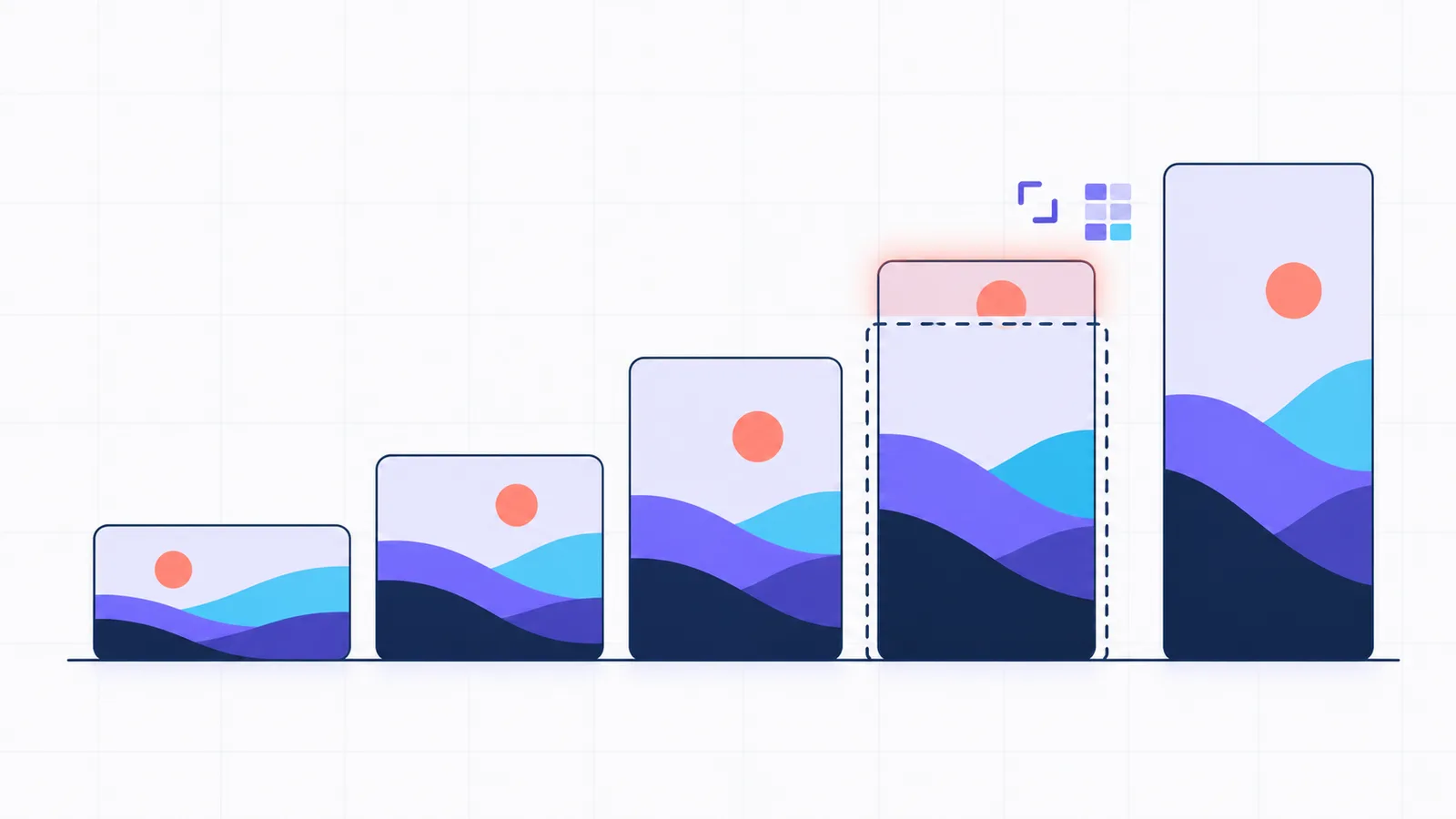
An Instagram post is 1,080 pixels wide, and its height can run from 566 pixels (a 1.91:1 landscape) to 1,440 pixels (a 3:4 portrait). A square post is 1,080 × 1,080, and the familiar portrait is 1,080 × 1,350 (4:5). Reels and stories are vertical at 9:16, which is 1,080 × 1,920 at the same width. Those are the dimensions the Instagram app preserves. Schedulers and other applications publish through Instagram’s API, which still stops at 4:5, accepts JPEG files only and allows 10 photos in a carousel instead of 20.
The sizes below come from Instagram’s help centre and Meta’s developer documentation, checked on October 17, 2026. The file limits come from the code SocialHelper runs to check a post before it publishes it.
Instagram post sizes at a glance
An aspect ratio is a photo’s width compared with its height: 4:5 means 4 units wide for every 5 tall. The pixel size is that shape at a given width, and Instagram’s full width is 1,080 pixels. Applications that publish on someone’s behalf, such as schedulers, follow Meta’s developer reference rather than the app, and it accepts a narrower range of shapes (Instagram Platform: IG User Media).
1.91:1
1,080 × 566
Landscape photo
Feed photo in the app: yes.
Through the API: yes.
1:1
1,080 × 1,080
Square photo
Feed photo in the app: yes.
Through the API: yes.
4:5
1,080 × 1,350
Portrait photo
Feed photo in the app: yes.
Through the API: yes.
3:4
1,080 × 1,440
Tall photo
Feed photo in the app: yes.
Through the API: no.
9:16
1,080 × 1,920
Reels and stories
Feed photo in the app: no.
Through the API: no.
Feed photos: the Instagram app keeps 1.91:1 to 3:4 (Instagram Help). Through the API, which schedulers use, 4:5 to 1.91:1, read from the limits SocialHelper checks. Reels and stories: 9:16 recommended.
| Format | Shape and size | Through the API |
|---|---|---|
| Square photo | 1:1, 1,080 × 1,080 | Yes |
| Portrait photo | 4:5, 1,080 × 1,350 | Yes, the tallest it takes |
| Tall portrait photo | 3:4, 1,080 × 1,440 | No |
| Landscape photo | 1.91:1, 1,080 × 566 | Yes |
| Carousel | One shape for every slide | 10 items instead of 20, cropped to the first |
| Reel | 9:16 recommended, 1,080 × 1,920 | Yes, up to 1,920 pixels wide and 300 MB |
| Reel cover | 1:1.55, 420 × 654 in the app | 9:16 JPEG, cropped to the middle |
| Story | 9:16 recommended, 1,080 × 1,920 | Yes, photos up to 8 MB |
Instagram sizes by format
Instagram post size for feed photos
A feed photo is 1,080 pixels wide and between 566 and 1,440 pixels tall. Instagram’s help centre says it keeps a photo at full resolution “as long as the photo’s aspect ratio is between 1.91:1 and 3:4”, and crops anything outside that range “to fit a supported ratio” (Instagram Help: Image resolution). A photo narrower than 320 pixels is enlarged to 320, and a wider one than 1,080 is scaled down to 1,080. For example, a 4,000 × 5,000 photo from a phone camera ends up as 1,080 × 1,350. Uploading at exactly 1,080 wide means Instagram doesn’t resize it.
The new 3:4 post size
The tallest feed photo is now 3:4, or 1,080 × 1,440. Instagram’s help page lists 3:4 as the limit, while the API and many older guides stop at 4:5. Meta’s developer reference still says a photo’s aspect ratio “Must be within a 4:5 to 1.91:1 range”, in a JPEG of up to 8 MB, so a 3:4 photo can be posted from the app but not from a scheduler.
Instagram carousel size
A carousel is a single post containing several photos or videos that people swipe through. It can hold up to 20 of them in the app, and every slide shares one shape. Instagram’s help centre says the orientation you choose “affects all of the photos or videos in your post”, and that videos in a carousel aren’t treated as reels (Instagram Help: Carousels). Through the API, a carousel holds 10 items, and Meta says “Carousel images are all cropped based on the first image in the carousel, with the default being a 1:1 aspect ratio” (Instagram Platform: Content publishing). If the first slide is square, for example, a portrait slide later in the carousel is cropped to a square as well, so make the first slide the shape you want for all of them.
Instagram reel size
A reel is vertical, and a 9:16 video fills the entire screen. A reel cover is the still image Instagram displays for a reel before it plays. Instagram accepts reels “with an aspect ratio between 1.91:1 and 9:16”, at least 720 pixels and 30 frames per second, and recommends a cover photo of 420 × 654 pixels (Instagram Help: Reel sizes). The API is looser about shape, from 0.01:1 to 10:1, but recommends 9:16 and caps a reel at 1,920 pixels wide and 300 MB. A cover sent through the API is cropped to its middle 9:16, and to its middle square when the reel also shows in the feed.
Instagram story size
A story is 9:16, or 1,080 × 1,920 at full width. Meta’s developer reference recommends 9:16 for story photos and videos “to avoid cropping or blank space”, and limits story photos to JPEGs of 8 MB and story videos to 100 MB.
Profile photos and ads
Instagram’s help centre doesn’t publish a pixel size for profile photos. Advertisements follow a separate specification that doesn’t apply to regular posts. Meta’s ads guide recommends 1,440 × 1,800 for feed ads (Meta Ads Guide: Feed) and 1,440 × 2,560 for story ads (Meta Ads Guide: Stories), with image files up to 30 MB.
What SocialHelper checks before it posts to Instagram
SocialHelper publishes to Instagram through the API, so it validates each post against the API’s rules before anything is queued and lists every problem at once. These limits come from its code.
- Photos: JPEG only, up to 8 MB, from 4:5 to 1.91:1.
- Videos: MP4 and MOV, up to 300 MB. One video is posted as a reel.
- Carousels: up to 10 photos and videos, mixed.
- Alt text: up to 1,000 characters per photo.
Instagram’s API answers a photo outside that range with error 2207009, “The submitted image with aspect ratio … cannot be published” (Instagram Platform: Error codes). SocialHelper checks the shape first, so a 3:4 photo gets the message “Instagram needs images between 4:5 (portrait) and 1.91:1 (landscape)” before the post is scheduled and never fails later. SocialHelper doesn’t post stories. The composer’s photo editor can crop to 1:1, 4:5, 9:16 or 1.91:1 and saves the result as a JPEG, which also turns a PNG into a file Instagram’s API accepts (Help: Photos and videos).
Why Instagram crops your photo
- The shape is out of range. In the app, Instagram crops anything wider than 1.91:1 or taller than 3:4 to fit. Through the API, it rejects anything taller than 4:5.
- The carousel follows the first slide. Every slide takes the proportions of the first one, or a square by default through the API.
- The grid shows a rectangle. Since January 2025, Instagram has shown profile grid thumbnails as rectangles instead of squares, and you can set each one to Fit or Fill (Business Today).
- A reel cover has two crops. The Reels tab displays the middle 9:16 rectangle, and the feed displays the middle square.
How to size a post for Instagram
- Export at 1,080 pixels wide. Instagram doesn’t resize a photo of that width, so what you export is exactly what your audience sees.
- Use 4:5 for portraits you schedule. At 1,080 × 1,350, a portrait works in the app and through the API. Keep 3:4 for photos you publish yourself from the app.
- Give every carousel slide the same proportions. Design the first slide in the shape you want, because Instagram applies it to the remaining slides.
- Make reels and stories 9:16. Keep text and faces near the centre, so the square crop of a reel’s cover in the feed doesn’t cut them off.
- Save photos as JPEG files under 8 MB. The API accepts no other format. To schedule the post, see how to schedule Instagram posts.
Frequently asked questions
What is the best size for an Instagram post?
For most posts, choose 1,080 × 1,350 pixels, a 4:5 portrait. It’s the tallest proportion accepted both in the app and through the API that scheduling tools depend on, so it occupies the most space in the feed without being cropped. Reserve 1,080 × 1,440 (3:4) for photos you publish directly from the Instagram app.
What is the new Instagram post size?
The new size is 3:4, or 1,080 × 1,440 pixels. Instagram’s help centre now lists 3:4 as the tallest feed photo it keeps, beyond the 4:5 that the API still enforces, and since January 2025 the profile grid has shown rectangles instead of squares.
How many photos can an Instagram carousel have?
Up to 20 photos and videos when you post from the app, all in the same shape. A scheduler or other application posting through the API can include 10 at most, cropped to the proportions of the first one.
What size is an Instagram story?
A story is 9:16, which is 1,080 × 1,920 pixels at full width. Meta recommends that proportion for both story photos and story videos, so that nothing is cropped or padded with blank space.
What is the Instagram post size in inches?
Instagram measures photos in pixels, not inches, so a post has no fixed size in inches. The inches depend on how densely you print or display the pixels: at 300 pixels per inch, a 1,080 × 1,350 photo prints at 3.6 × 4.5 inches.
How we checked these sizes
The file types, sizes, aspect ratios and counts SocialHelper checks are read from its Instagram integration, the code that checks each post before it goes out. When Instagram changes a limit and we update that code, this page changes with it.
We analyzed Instagram’s help centre and Meta’s developer documentation on October 17, 2026, then ran a fact check of every size on this page against them. Each section links the page it comes from. For video lengths on Instagram and every other platform, see social media video length limits.
Spotted a size that has changed? Contact us and we’ll correct it.


