

How to add an MCP server to Claude: claude.ai, Desktop and Claude Code
Add an MCP server to Claude as a custom connector, with claude mcp add in Claude Code, or in Claude Desktop’s config file. Every step, with a real server.
11 minute read By SocialHelper team
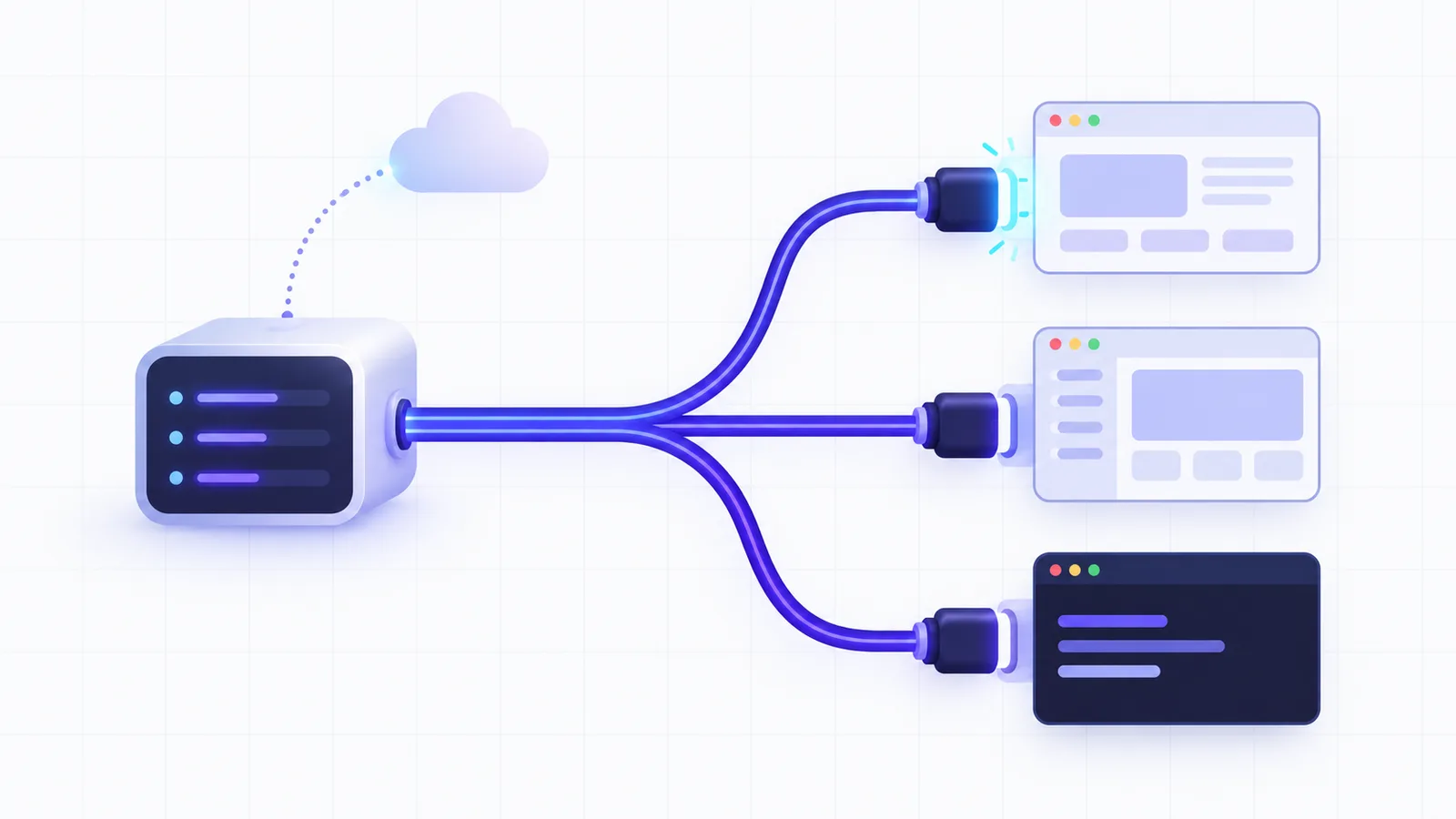
To add an MCP server to Claude, use the method that fits the app and the server. In claude.ai, Claude Desktop and the mobile apps, you add a remote server as a custom connector by pasting its URL. In Claude Code, you run claude mcp add. A server that runs on your own computer goes into Claude Desktop as a desktop extension or as an entry in its config file.
SocialHelper’s MCP server is the worked example for each method, because it accepts both a sign-in and an API key.
Three ways to add a server
An MCP server is a program that gives an AI app tools it can call, through the open Model Context Protocol (modelcontextprotocol.io). Servers come in two kinds, and the kind decides where you add one.
- A remote server is hosted on the internet and reached by a URL, such as
https://mcp.example.com/mcp. Most online services offer this kind. - A local server is a program on your computer, started by a command such as
npx -y @example/mcp-server. It can reach your files and other local applications. - A custom connector is a remote server you add to your Claude account by its URL, instead of picking one from Anthropic’s directory.
| You have | Where to add it |
|---|---|
| A URL, for claude.ai, Claude Desktop or mobile | Customize, then Connectors: Add custom connector |
| A URL, for Claude Code | claude mcp add --transport http |
A command such as npx, for Claude Code | claude mcp add, with the command after -- |
A .mcpb file, for Claude Desktop | Settings, then Extensions |
| A command or a JSON block, for Claude Desktop | The config file, claude_desktop_config.json |
Custom connectors run from Anthropic’s side. Claude reaches a custom connector “from Anthropic's cloud infrastructure, rather than from your local device”, so the server “must be reachable over the public internet” (Claude Help Center: custom connectors). A server on localhost or behind a VPN won’t work as a connector, even in the desktop app. Claude Code and Claude Desktop’s config file, on the other hand, connect from your own machine.
Add a remote server in claude.ai, Desktop and mobile
On a Pro or Max plan, you add the connector yourself. The steps are identical on the web and in the desktop application, and the connector then appears in the mobile apps too.
- Open the connector settings. Go to Customize, then Connectors. Click + Add and choose Add custom connector.
- Enter the server. Type a name, paste the server’s URL and click Continue.
- Check the sign-in settings. Claude shows the authentication settings it detected. Change them only if the server needs something different, then click Add.
- Sign in. If the server uses OAuth, Claude opens its sign-in page. You approve access there, and Claude never sees your password.
- Turn it on in a chat. Click + at the lower left of the message box, choose Connectors and switch the server on for that conversation.
The sign-in screen has three settings, explained in Anthropic’s guide to adding a connector that isn’t in the directory (Claude Docs: add an unlisted connector).
- Authentication is how people connect: sign in now, sign in when needed, or no sign-in.
- OAuth client is how Claude identifies itself to the server. “Use Claude’s published identity” is the recommended choice, but the server must support it. “Register automatically” uses Dynamic Client Registration, which “works with most servers”.
- Request headers hold a fixed credential, such as an API key, that Claude sends on every request. They’re in beta for a limited set of organizations.
On Team and Enterprise plans, an owner adds the connector once, under Organization settings, then Connectors, Add, Custom and Web. Each member then finds it under Customize, then Connectors, and clicks Connect to sign in with their own account. The Free plan allows one custom connector. To change a connector’s sign-in settings later, remove it and add it again.
Example: SocialHelper as a custom connector
SocialHelper’s server lives at https://socialhelper.app/mcp and signs you in with OAuth. It supports automatic registration but not Claude’s published identity, so choose Register automatically and leave Request headers empty. After you sign in, you pick the team whose social and marketing accounts Claude may use. The Claude setup page has every click with Claude’s current labels.
Add a server in Claude Code with claude mcp add
Claude Code is Anthropic’s coding agent for the terminal and code editors, and it keeps its own list of MCP servers. You add one by running claude mcp add in your shell, not inside a session (Claude Code docs: MCP). For a remote server, give the transport, a name you choose and the URL.
claude mcp add --transport http <name> <url>When a server takes an API key, add it as a header. SocialHelper’s setup looks like this, with your key in place of YOUR_API_KEY. You create the key in SocialHelper under API & MCP, as the help page on connecting an assistant shows.
claude mcp add --transport http socialhelper https://socialhelper.app/mcp \
  --header "Authorization: Bearer YOUR_API_KEY"
Then confirm the connection. claude mcp list shows each server with a status such as Connected or Needs authentication, and /mcp does the same inside a session. For a server that uses OAuth instead of a key, open /mcp, pick the server and finish signing in in your browser. You can also run claude mcp login with the server’s name.
Add a local server
A local server is a command. Everything after -- goes to that command untouched, and keys for the server go in with --env before it.
claude mcp add example --env API_KEY=your-key -- npx -y @example/mcp-serverChoose a scope
A scope is where Claude Code saves a server, and it decides which projects the server loads in.
| Scope | Loads in | Saved in |
|---|---|---|
| local (default) | This project, just for you | ~/.claude.json |
| project | This project, shared with your team through version control | .mcp.json in the project root |
| user | Every project, just for you | ~/.claude.json |
Add --scope user to make a server available everywhere, which is what most people mean by adding one globally. Claude Code asks you to approve project servers from a shared .mcp.json before it uses them.
Share it in .mcp.json
A project file holds the same entry as JSON. It can read the key from an environment variable, so the key never lands in git.
{
  "mcpServers": {
    "socialhelper": {
      "type": "http",
      "url": "https://socialhelper.app/mcp",
      "headers": { "Authorization": "Bearer ${SOCIALHELPER_API_KEY}" }
    }
  }
}
Two details break configs copied from elsewhere. An entry with a url but no "type": "http" is read as a local server and skipped. Claude Code also reads credential variables such as ANTHROPIC_API_KEY as empty in a remote server’s headers, so give the key a name of its own.
Connectors you added on claude.ai show up in Claude Code too, marked as coming from claude.ai, when you sign in to Claude Code with the same account. They don’t load when Claude Code runs on an API key or a cloud provider. To manage servers, claude mcp get shows one server’s details and claude mcp remove deletes it. claude mcp add-json takes a whole JSON entry, and claude mcp add-from-claude-desktop imports your Claude Desktop servers on macOS and WSL.
Add a local server to Claude Desktop
Claude Desktop runs local servers in two different ways. Both run on your computer and are set up in the application itself. Connectors belong to your Claude account instead.
- A desktop extension is a local server packed into one
.mcpbfile that installs with a click. Open Settings, then Extensions, and click Browse extensions for reviewed ones, or install a.mcpbfile you were given. Claude Desktop ships with its own Node.js, so you don’t need to install it (Claude Help Center: local MCP servers). - The config file is
claude_desktop_config.json, a list of commands for Claude Desktop to start. Open it from the Claude menu with Settings, then Developer, then Edit Config. It’s in~/Library/Application Support/Claude/on macOS and%APPDATA%\Claude\on Windows (MCP: connect to local servers).
Each entry in the file names a command and its arguments. This one, from the protocol’s own tutorial, starts the reference filesystem server with access to two folders.
{
  "mcpServers": {
    "filesystem": {
      "command": "npx",
      "args": [
        "-y",
        "@modelcontextprotocol/server-filesystem",
        "/Users/username/Desktop",
        "/Users/username/Downloads"
      ]
    }
  }
}
Save the file, quit Claude Desktop completely and restart the application. When a server doesn’t appear, the cause is usually a typo in the JSON or a relative path. The logs in ~/Library/Logs/Claude (or %APPDATA%\Claude\logs on Windows) say what went wrong.
A remote server through mcp-remote
The config file only starts programs, so a remote server needs a bridge. The mcp-remote package runs on your machine and passes requests on to the URL, for an MCP client “that only supports local (stdio) servers” (mcp-remote on GitHub). SocialHelper’s key-based setup for Claude Desktop uses it, and it needs Node.js.
{
  "mcpServers": {
    "socialhelper": {
      "command": "npx",
      "args": ["mcp-remote", "https://socialhelper.app/mcp", "--header", "Authorization:${SH_AUTH}"],
      "env": { "SH_AUTH": "Bearer YOUR_API_KEY" }
    }
  }
}
The missing space after “Authorization:” is deliberate. The mcp-remote README reports a bug in Claude Desktop on Windows that mangles spaces inside args, and this layout avoids it. If you’d rather sign in than keep a key in a file, add the server as a custom connector instead. Connectors work in Claude Desktop too.
Check that it works
Ask Claude something only the server can answer. With SocialHelper, ask “List my SocialHelper accounts”, and Claude should call list_accounts and name the accounts your team connected. In Claude Code, the tool call is labelled with the server’s name, so you can see the answer came from the server.
If nothing happens, check the setting for that application. In claude.ai, the connector must be switched on in this chat. In Claude Code, claude mcp list should say Connected. In Claude Desktop, restart the app fully after any change to the file.
Limits and safety
- Result size. A tool result can be about 150,000 characters in claude.ai and Desktop, and 25,000 tokens in Claude Code unless you raise
MAX_MCP_OUTPUT_TOKENS(Claude Docs: build an MCP server). A tool call in claude.ai and Desktop times out after 240 seconds. - Context. Each server’s tool names and instructions load into every Claude Code session, so remove servers you no longer use (Claude Code docs: MCP quickstart).
- Research. Anthropic’s help center notes that advanced research can’t call tools from local servers, only from connectors.
- Trust. Anthropic doesn’t verify custom connectors, and a server’s owner can change what its tools do. Connect only servers you trust, read each approval request, and block tools you don’t need under Customize, then Connectors.
A server can also set its own rules. SocialHelper’s tells Claude that posting is public and to confirm the text and accounts with you before it publishes. The MCP server page lists each of its tools, and the MCP vs API guide explains when a plain API is the better fit.
Frequently asked questions
How can I add MCP to Claude?
Add the server in the app where you use Claude. In claude.ai, Claude Desktop and the mobile apps, paste a remote server’s URL as a custom connector under Customize, then Connectors. In Claude Code, run claude mcp add. For a program on your computer, install a desktop extension or edit Claude Desktop’s config file.
How do I add an MCP server globally in Claude Code?
Add --scope user to the claude mcp add command. The server is saved in ~/.claude.json and loads in every project on your machine, while the default local scope loads it only in the project where you ran the command.
Can I use MCP servers on the free Claude plan?
Yes. Custom connectors work on every Claude plan, and Anthropic’s help center says the Free plan is limited to one of them.
Why doesn’t my MCP server show up in Claude?
Usually because of where it runs or how its entry is written. A connector must be reachable on the public internet, since Claude connects from Anthropic’s cloud. In Claude Desktop, quit the app fully after editing the config file and check the JSON. In Claude Code, a url entry without "type": "http" is skipped, and a project server waits for your approval.
Do connectors from claude.ai work in Claude Code?
Yes, when you sign in to Claude Code with the same claude.ai account. They appear in /mcp marked as coming from claude.ai. They don’t load when Claude Code runs on an Anthropic API key or on a cloud provider such as Amazon Bedrock.
What’s the difference between an MCP server and a connector?
The server is the program that offers the tools, and a connector is Claude’s saved link to a remote server, with your sign-in. Claude’s apps call remote servers connectors, Claude Desktop calls packaged local ones extensions, and Claude Code calls them all MCP servers.
How we checked this
The steps come from Anthropic’s help center and documentation for custom connectors, Claude Desktop and Claude Code, plus the Model Context Protocol’s local server tutorial and the mcp-remote README. We ran a fact check of each step against those pages on October 17, 2026.
The SocialHelper examples are generated from its setup code. We tested its server’s sign-in discovery on October 17, 2026 as well. An unsigned request gets a pointer to its OAuth metadata, which lists a registration endpoint for automatic client registration.
Spotted a step that has changed? Contact us and we’ll correct it.


