

Team and account
Work as a team
Invite people, choose their roles, and keep one team per brand or client.
A team holds your connected accounts, posts, drafts, snippets, media, API keys and plan. Invite people to work in it with you, and give each a role. If you manage several brands or clients, keep one team for each so their accounts and posts stay apart.
Invite someone
- Click your name at the bottom of the sidebar, then Settings, then Teams, and open the team.
- Click Invite member.
- Enter their email address, choose a Role, and click Send invitation.
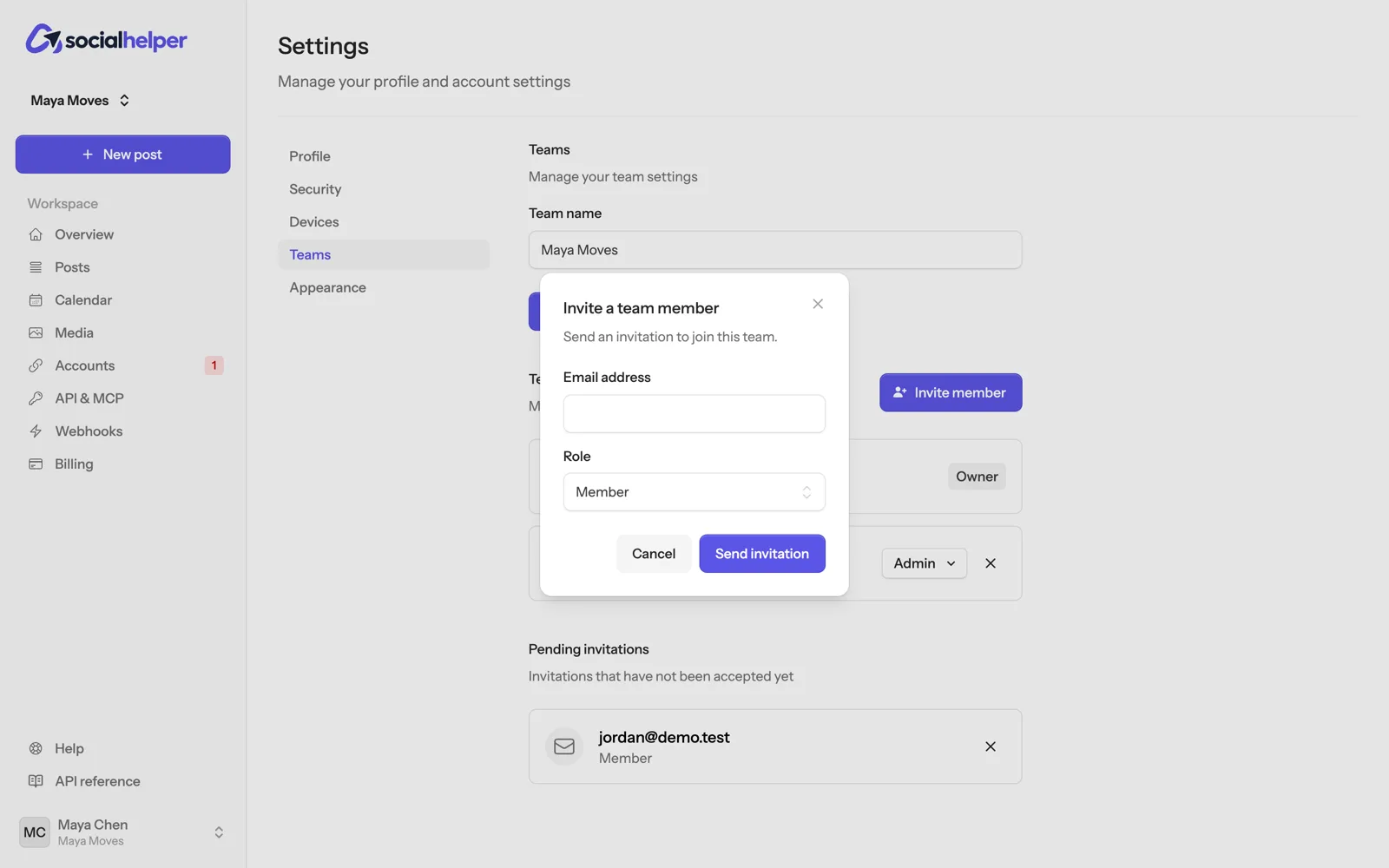
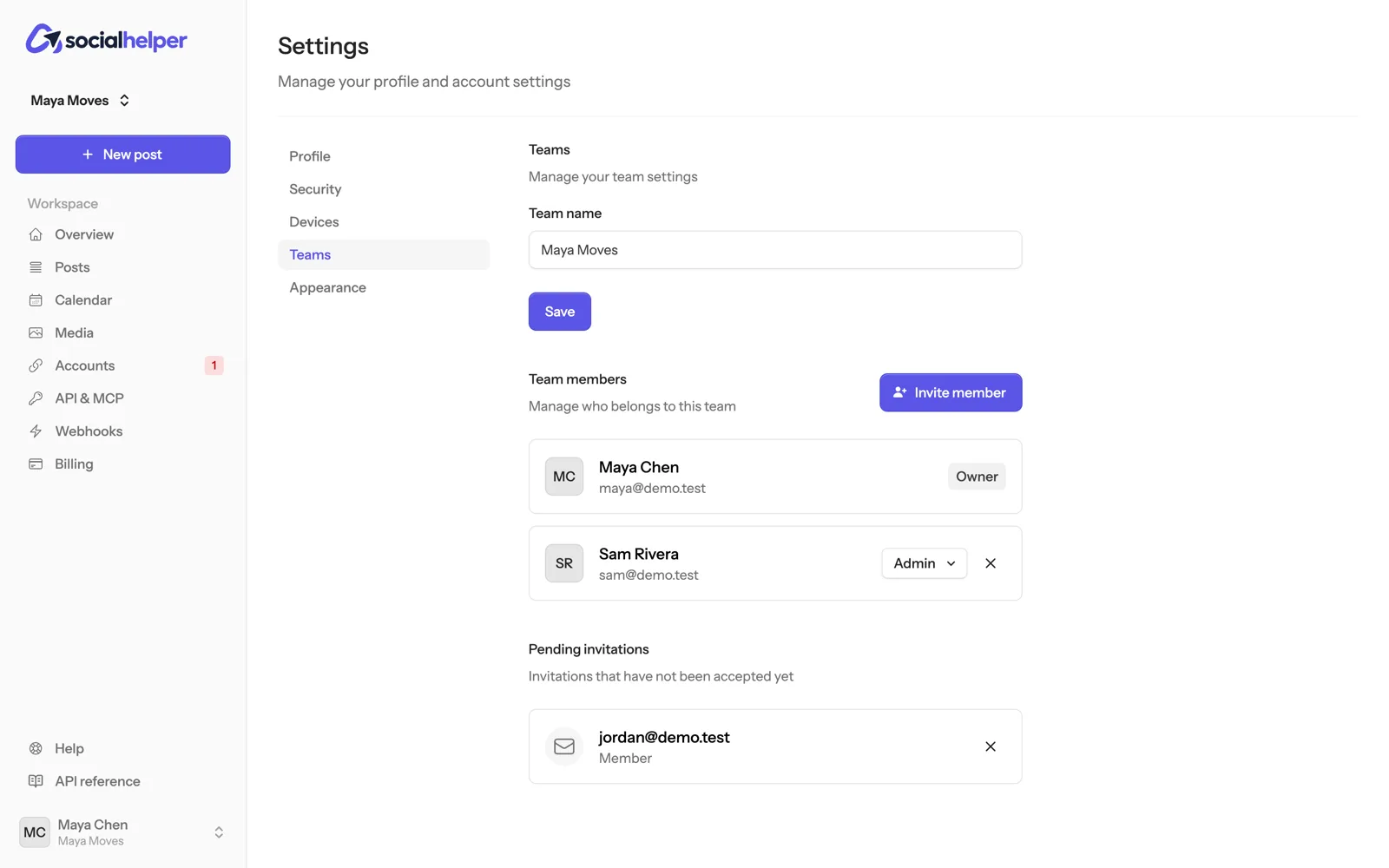
They get an email asking them to join. Once they sign in, they accept the invitation from their dashboard. Until then it’s listed under Pending invitations, where you can cancel it with the ×.
Roles
- Member: writes, schedules and posts to every connected account, and uses drafts, snippets, media and the calendar.
- Admin: everything a member can do, and connects or removes accounts, invites people, manages API keys, connected AI assistants and webhooks, and renames the team.
- Owner: everything an admin can do, and changes members’ roles, removes members, changes the plan and billing, and deletes the team. Each team has one owner.
To change someone’s role, pick it next to their name under Team members. To remove someone, click the × next to them.
One team per brand or client
- Go to Settings, Teams, and click New team.
- Give it a name and click Create team.
- Switch between teams with the team name at the top of the sidebar.
Each team has its own accounts, posts, posting times, API keys and plan. An API key or connected assistant only reaches the team it was made in.
Leave or delete a team
- To leave a team you belong to, click Leave team next to it on the Teams page.
- The owner can delete a team at the bottom of its page.